Are you tired of juggling multiple tools to keep your equipment running smoothly? Imagine having one simple solution that puts all your maintenance tasks in one place.
A centralized maintenance tool does exactly that—it helps you organize, track, and manage everything easily. If you want to save time, reduce errors, and boost your team’s productivity, understanding this tool is a game-changer. Keep reading to discover how it can transform the way you handle maintenance.
Credit: facilio.com
Centralized Maintenance Tool Basics
A Centralized Maintenance Tool is designed to simplify how you manage and maintain equipment, software, or infrastructure across various locations. It brings all maintenance activities into one platform, so you don’t have to juggle multiple systems or spreadsheets. Understanding its basics helps you see how it can save time, reduce errors, and boost overall efficiency in your operations.
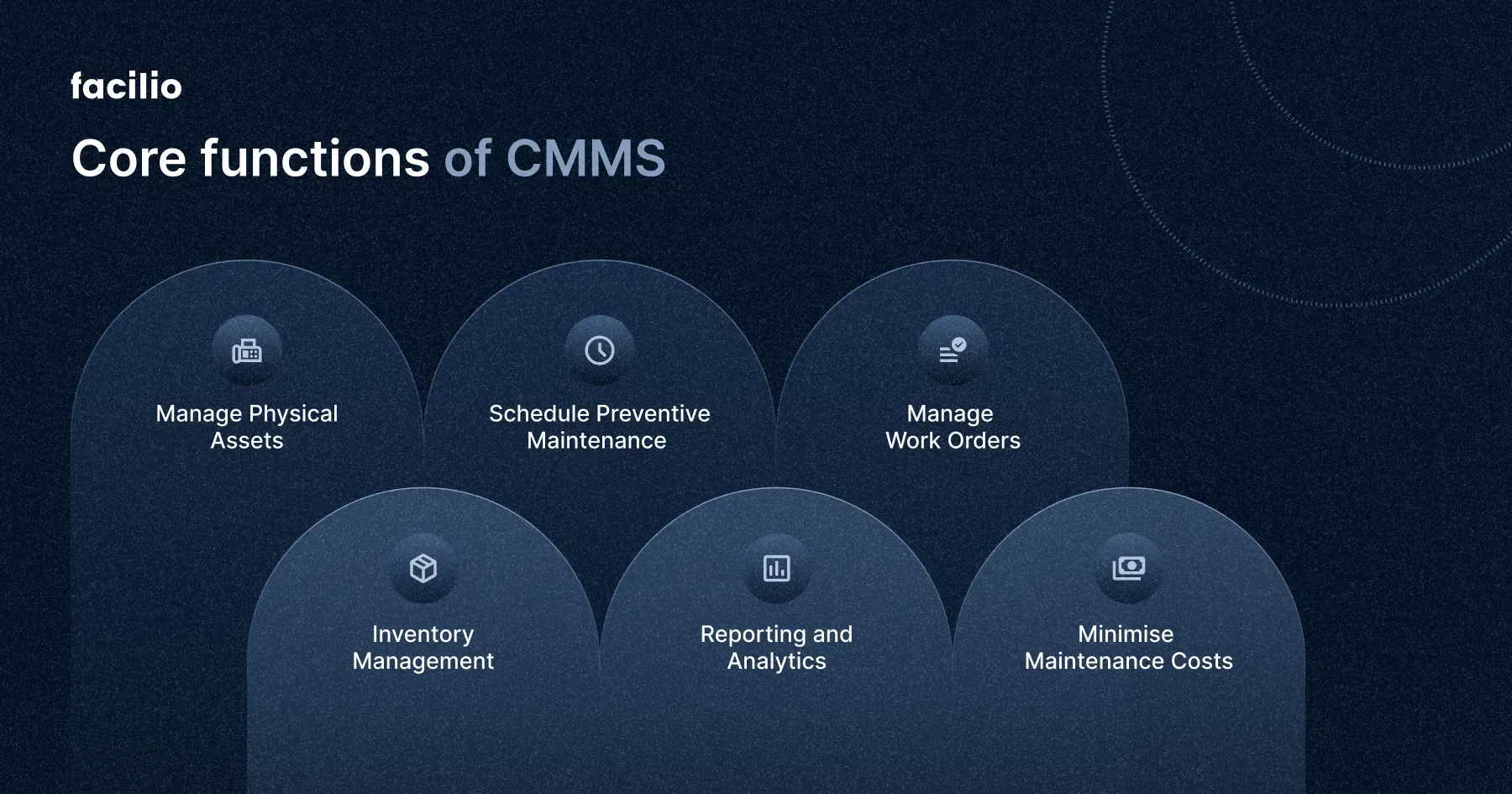
Core Features
- Unified Dashboard:View all maintenance tasks, schedules, and statuses in one place.
- Automated Alerts:Receive notifications for upcoming maintenance or issues needing attention.
- Asset Tracking:Keep detailed records of equipment condition, history, and usage.
- Work Order Management:Create, assign, and track maintenance jobs easily.
- Reporting Tools:Generate reports on performance metrics and maintenance outcomes.
How It Works
You start by inputting your assets and maintenance schedules into the tool. The system then monitors these assets and sends reminders when maintenance is due.
When an issue arises, it lets you create work orders that technicians can access remotely. This way, everyone involved stays updated with real-time information.
The tool also stores historical data, which helps you spot patterns or recurring problems. Have you ever missed a maintenance deadline because of scattered information? This tool can prevent that.
Key Components
| Component | Description | Benefit |
|---|---|---|
| Asset Database | Central storage for all asset details and maintenance history. | Easy access to complete asset information anytime. |
| Scheduling Engine | Automates maintenance timelines and sends alerts. | Reduces missed or delayed maintenance tasks. |
| User Interface | Dashboard for managing and monitoring maintenance activities. | Streamlines user experience and task management. |
| Reporting Module | Generates detailed maintenance and performance reports. | Supports data-driven decisions and improvements. |
Benefits Of Centralization
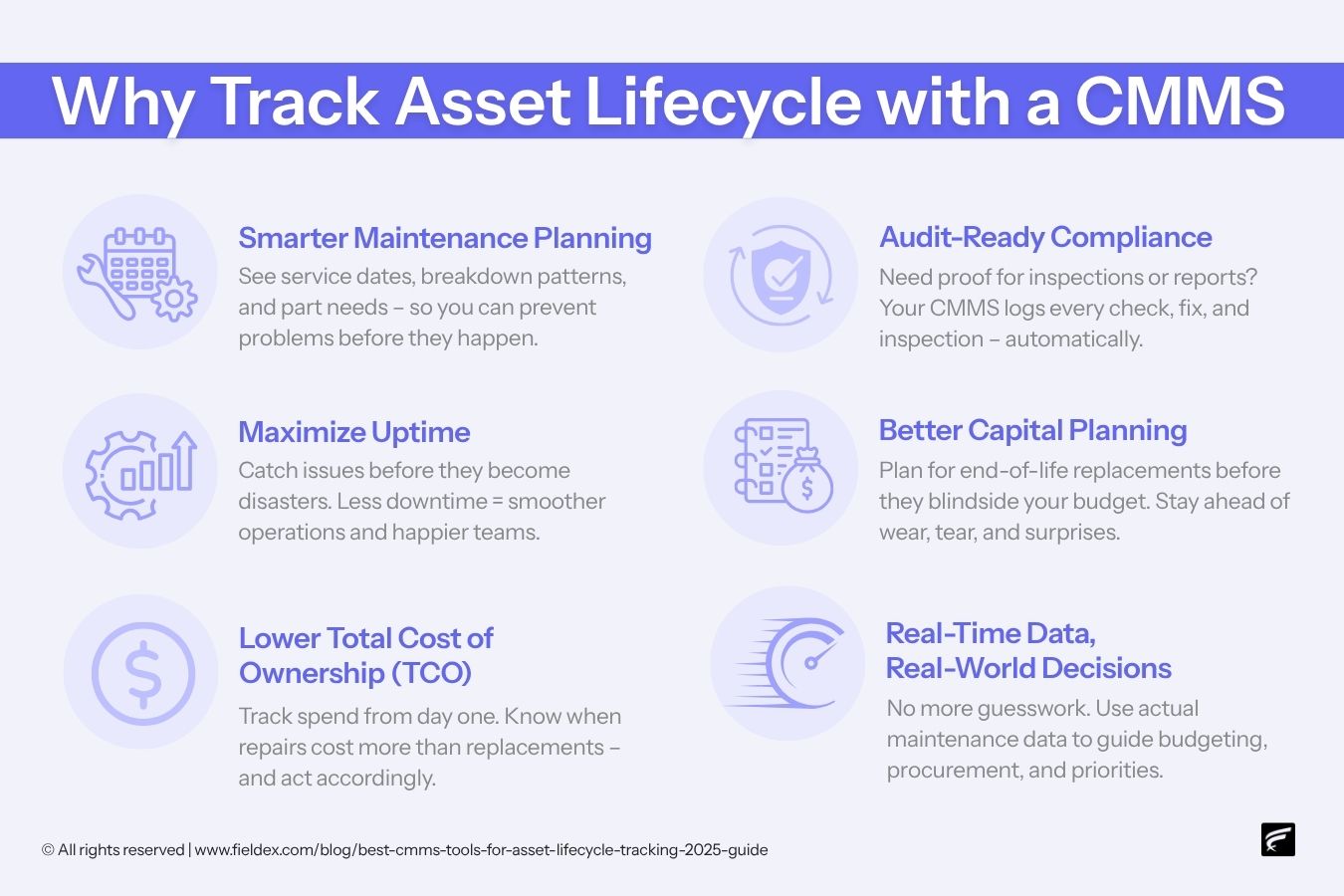
Centralizing your maintenance tool brings a host of benefits that directly impact how smoothly your operations run. It’s not just about having everything in one place; it’s about making your work easier, faster, and more connected. Let’s look closely at what centralization can do for your maintenance process.
Improved Efficiency
When all maintenance tasks and data are stored in one system, you save time searching for information. Your team can quickly access work orders, equipment histories, and schedules without switching between multiple platforms.
This streamlining reduces delays and helps you respond faster to issues. Imagine resolving a machine breakdown in half the time simply because all relevant data is right at your fingertips.
Cost Reduction
Centralized maintenance tools cut unnecessary expenses by preventing duplicate work and reducing downtime. You avoid buying extra software licenses or investing in multiple systems that don’t communicate well.
Additionally, better scheduling and tracking help you plan maintenance activities more accurately, reducing overtime and emergency repair costs. How much could you save if your maintenance budget was more predictable and controlled?
Enhanced Communication
Centralization keeps everyone on the same page. Technicians, managers, and suppliers can share updates instantly within the tool, reducing misunderstandings and missed messages.
This improves teamwork and decision-making since everyone has access to the latest information. Have you noticed how smoother communication can turn a stressful day into a manageable one?
Types Of Maintenance Tools
Understanding the different types of centralized maintenance tools can help you choose the right approach for your operations. Each type offers unique benefits and fits various maintenance needs. Let’s break down the main categories to see how they can support your maintenance strategy.
Software Solutions
Software solutions are at the heart of many maintenance systems. They help you track work orders, schedule preventive maintenance, and manage inventory from a single platform. With easy-to-use dashboards, you can quickly spot issues before they become costly problems.
Many software tools offer mobile apps, so technicians can update tasks on the go. This real-time communication reduces delays and improves accuracy. Have you ever experienced miscommunication between teams? These tools can fix that by keeping everyone on the same page.
Hardware Integration
Hardware integration involves connecting physical devices to your maintenance system. Sensors, smart meters, and IoT devices collect data directly from machines. This lets you monitor performance and detect faults without manual inspections.
Imagine catching a temperature spike early enough to prevent a breakdown. That’s the kind of proactive maintenance hardware integration enables. It also reduces human error and frees up your team for more complex tasks.
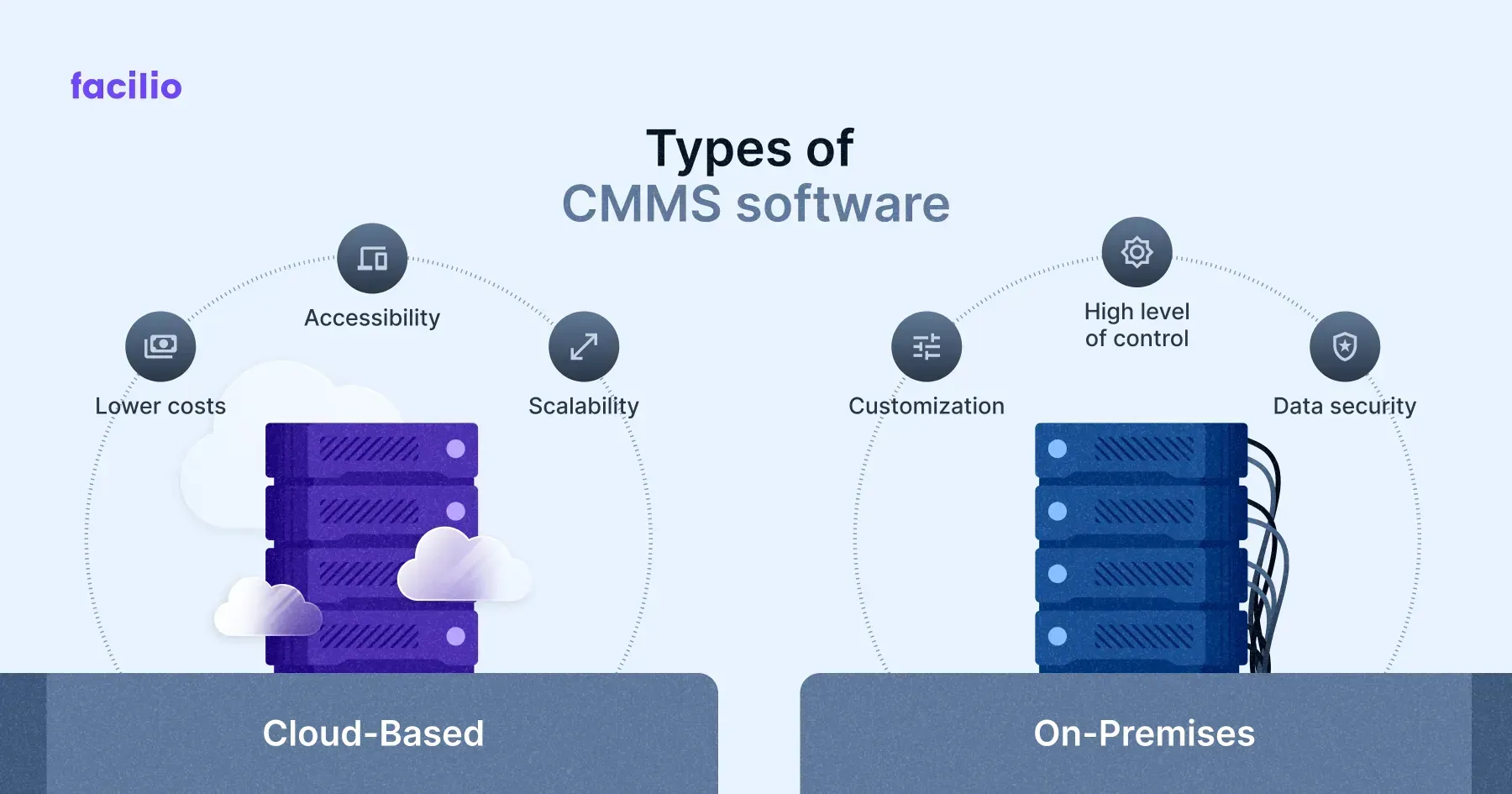
Cloud-based Systems
Cloud-based systems store all maintenance data online, making it accessible anytime, anywhere. This flexibility allows teams to collaborate across locations without being tied to a single office or server.
Data backup and security are managed by the cloud provider, so you don’t have to worry about losing critical information. Plus, updates and new features are automatically available, keeping your tools up to date without extra effort. How often have you struggled with outdated software? Cloud systems solve that problem smoothly.
Credit: www.fieldex.com
Choosing The Right Tool
Choosing the right centralized maintenance tool can make or break your maintenance strategy. It’s not just about picking software; it’s about finding a solution that fits your team’s unique demands and grows with your organization. Let’s look at what really matters when making this important decision.
Assessing Organizational Needs
Before exploring options, clearly define what your organization needs from a maintenance tool. Consider the types of assets you manage, the size of your maintenance team, and the complexity of your workflows.
Ask yourself: Are you tracking equipment downtime or managing preventive maintenance schedules? Your answers will help narrow down tools that offer features aligned with your daily tasks.
Don’t overlook integration capabilities with your existing software like ERP or inventory systems, as this can save time and reduce errors.
Scalability Factors
Your business will evolve, and so should your maintenance tool. Choose a platform that can handle growth in the number of users, assets, and data volume without slowing down.
Think about whether the tool supports cloud-based options, which often offer better scalability and remote access. This matters if your operations span multiple locations or if your team needs mobile access.
Planning for future needs can prevent costly migrations or switching tools down the line. Does the vendor offer flexible pricing tiers or modular add-ons that grow with you?
User-friendly Interfaces
Even the most powerful tool loses value if your team struggles to use it. Look for a solution with an intuitive interface that simplifies maintenance tasks rather than complicates them.
Features like drag-and-drop scheduling, clear dashboards, and customizable reports can make daily use smoother. Think about your team’s tech comfort level and how much training they might need.
Involve your maintenance staff in demos or trial runs. Their feedback can reveal usability issues you might miss and increase adoption rates once the tool is live.
Implementation Strategies
Implementing a centralized maintenance tool requires clear strategies to ensure smooth adoption. Careful planning, staff training, and system integration are key. These steps help maximize the tool’s benefits and minimize disruptions.
Planning And Preparation
Start by assessing current maintenance processes. Identify gaps the tool will fill. Set clear goals and timelines for the implementation. Assign roles to team members involved in the process. Prepare data for migration to avoid delays. Testing the tool before full launch reduces risks.
Training Staff
Train employees on how to use the new tool effectively. Use simple guides and live demonstrations to help understanding. Encourage questions and provide ongoing support. Focus on essential features first, then advanced functions later. Regular training sessions keep skills updated and build confidence.
Integration With Existing Systems
Check compatibility between the tool and current software. Use APIs or connectors to link systems smoothly. Ensure data flows correctly to avoid errors. Plan integration in phases to manage complexity. Monitor the process closely and fix issues quickly.
Measuring Success
Measuring success is crucial for any centralized maintenance tool. It helps businesses understand if the tool improves efficiency and reduces downtime. Tracking results ensures the tool meets maintenance goals and justifies investment.
Key Performance Indicators
Key Performance Indicators (KPIs) show how well the maintenance system works. Common KPIs include:
- Mean Time Between Failures (MTBF)
- Mean Time to Repair (MTTR)
- Equipment uptime percentage
- Maintenance cost per asset
- Number of work orders completed on time
These metrics help identify strengths and weaknesses in maintenance processes.
Monitoring And Reporting
Regular monitoring keeps the maintenance process transparent. Automated reports provide clear data on performance.
Reports can show trends, highlight delays, and reveal recurring issues. This data supports faster decision-making and problem-solving.
Continuous Improvement
Using data from KPIs and reports drives ongoing improvements. Maintenance teams can adjust schedules and procedures based on results.
Continuous improvement reduces breakdowns and lowers maintenance costs. It ensures the centralized tool remains effective over time.
Common Challenges
Implementing a centralized maintenance tool can improve efficiency and control. Still, several challenges often arise during adoption and use. These challenges can slow progress and affect overall success. Understanding these common issues helps prepare better solutions and smoother transitions.
Resistance To Change
Many workers prefer familiar systems and routines. Switching to a new tool may cause anxiety or pushback. People may fear losing control over their tasks. Training and clear communication can reduce this resistance. Encouraging team involvement helps build trust and acceptance.
Technical Issues
New software can have bugs or compatibility problems. Integration with existing systems may not be seamless. Users might face difficulties navigating or using features. Regular updates and support are crucial for fixing these issues. Testing before full deployment minimizes disruptions.
Data Security Concerns
Centralized tools collect and store sensitive information. Protecting this data from breaches is a top priority. Weak security measures can lead to leaks or unauthorized access. Implementing strong encryption and access controls is essential. Regular security audits help maintain a safe environment.

Credit: www.verosoftdesign.com
Future Trends
The future of centralized maintenance tools is full of exciting changes. These tools will become smarter and more connected. They will help businesses save time and reduce costs. New technology will make maintenance easier and more efficient.
Ai And Automation
Artificial intelligence will help analyze data faster. It can spot problems before they become serious. Automation will handle routine tasks without human help. This means fewer errors and quicker repairs. Maintenance teams will focus on complex problems instead.
Iot Integration
The Internet of Things (IoT) will connect many devices. Machines will send real-time data to centralized systems. This constant flow of information allows quick decisions. It helps track equipment health and performance easily. IoT makes maintenance tools smarter and more reliable.
Predictive Maintenance
Predictive maintenance uses data to predict failures. It reduces unexpected breakdowns and downtime. Sensors and AI work together to monitor machines. They alert teams before problems occur. This saves money and extends equipment life.
Frequently Asked Questions
What Is A Centralized Maintenance Tool?
A centralized maintenance tool is software that manages and schedules maintenance tasks from one platform. It improves efficiency by consolidating data and streamlining workflows across multiple assets or locations.
How Does Centralized Maintenance Improve Efficiency?
It reduces manual tracking by automating task scheduling and reporting. This ensures timely maintenance, lowers downtime, and optimizes resource use, boosting overall operational productivity.
Who Benefits Most From Centralized Maintenance Tools?
Industries with complex equipment or multiple sites, like manufacturing and facilities management, benefit most. It helps teams coordinate maintenance, reduce costs, and extend asset lifespan.
What Features Are Common In Centralized Maintenance Tools?
Key features include work order management, asset tracking, automated alerts, and reporting dashboards. These tools integrate data for better decision-making and maintenance planning.
Conclusion
A centralized maintenance tool simplifies management tasks. It enhances team collaboration. Efficiency improves with streamlined processes. Teams can quickly access necessary data. This tool reduces downtime. Maintenance becomes more predictable. Cost savings follow naturally. Organizations gain better control over assets.
It supports decision-making with reliable data. Easy to use and implement. A valuable asset for any business. Invest in one today. Enjoy smoother operations and increased productivity.