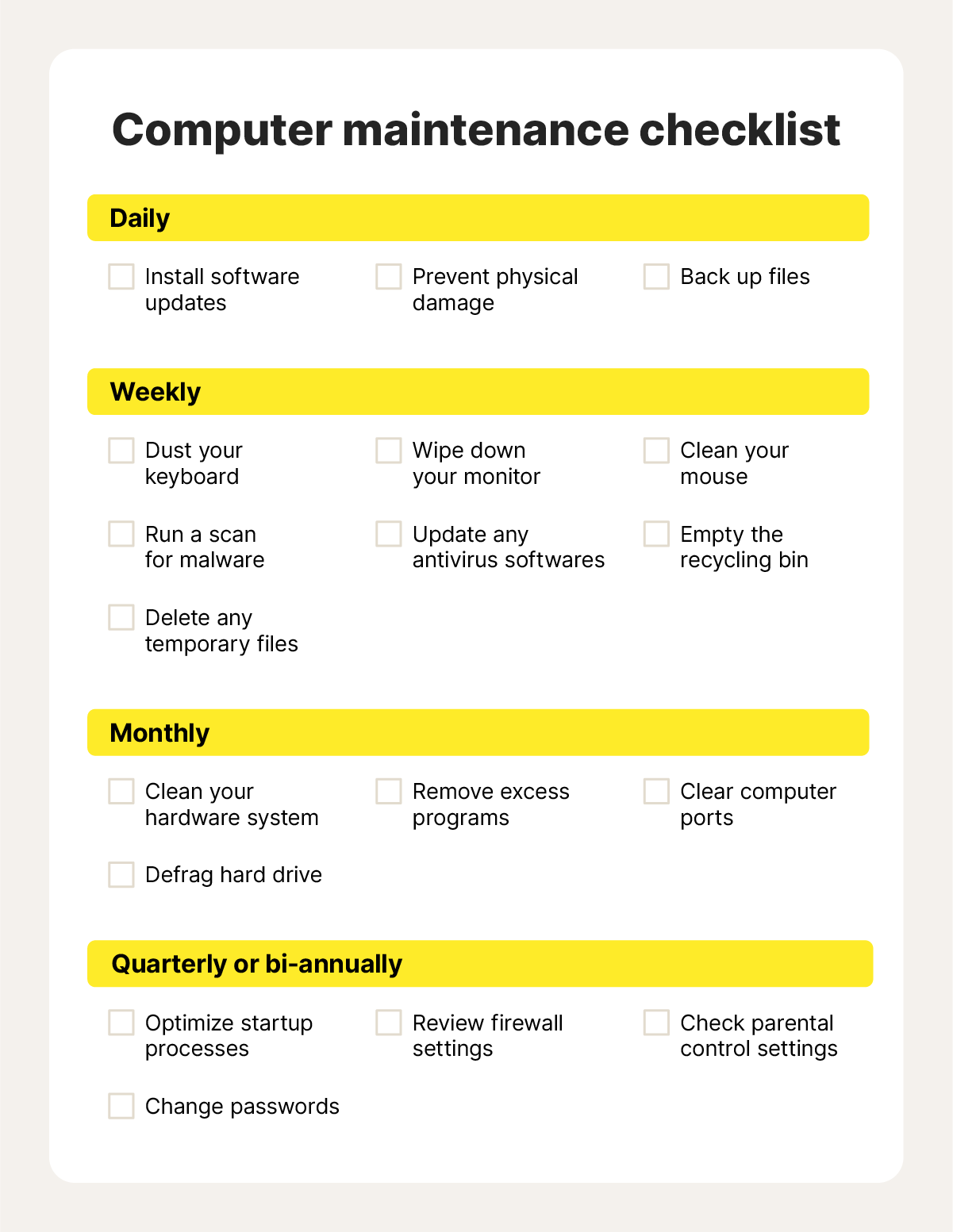
Is your PC running slower than it used to? Are unexpected errors or crashes disrupting your work?
You might need a PC maintenance tool. But what exactly does this tool do for your computer? Understanding the key tasks it performs can help you keep your system running smoothly and save you time and frustration. You’ll discover how a PC maintenance tool works behind the scenes to protect, clean, and optimize your computer—so you can get the most out of your device without the headache.
Keep reading to learn how to take control of your PC’s health today.
System Cleanup
System cleanup is a core function of any PC maintenance tool. It helps your computer run smoothly by removing unnecessary data that slows it down. Over time, files accumulate and clutter your hard drive, affecting performance and storage space.
Removing Junk Files
Junk files are leftover data from uninstalled programs, system updates, and failed downloads. These files take up valuable space without serving any purpose. A good PC maintenance tool scans and deletes these files, freeing up your disk instantly.
Have you ever noticed your computer lagging after months of use? Clearing junk files can often solve that without complex troubleshooting. It’s like giving your PC a quick refresh, making it ready to work faster.
Clearing Cache And Cookies
Web browsers store cache and cookies to speed up your browsing experience. However, over time, these files can pile up and cause slowdowns or privacy issues. Maintenance tools clear this data, improving browser speed and protecting your privacy.
Think about how your browser slows down when too many tabs are open. Clearing cache and cookies can reduce that lag and improve loading times. Plus, it helps remove tracking cookies that follow you across websites.
Managing Temporary Files
Temporary files are created by applications and the operating system for short-term use. Sometimes, they don’t get deleted after their purpose is served, cluttering your system. PC maintenance tools identify and remove these files safely.
Have you ever checked your temp folder and been surprised by the huge number of files inside? Managing temporary files regularly prevents unnecessary disk usage and keeps your system tidy. It’s a simple step that keeps your PC responsive and clean.
Performance Optimization
Performance optimization is a key task of any PC maintenance tool. It helps the computer run faster and smoother. These tools work behind the scenes to improve how your system uses its resources. They fix small issues that slow down your PC over time.
Optimizing performance means better response times and less waiting. It can make older machines feel new again. The main focus areas include organizing files, managing startup programs, and optimizing memory. Each plays a big role in overall speed and efficiency.
Disk Defragmentation
Disk defragmentation rearranges scattered files on your hard drive. Over time, files get broken into pieces and stored in different places. This slows down data access and reduces speed.
The tool groups these pieces together. It puts files in one place for faster reading and writing. This process reduces the time your PC spends searching for data. It also lowers the wear on your hard disk.
Startup Program Management
Many programs start automatically when you turn on your PC. Too many startup programs can slow boot time and overall performance. A PC maintenance tool helps manage these programs.
It shows which apps run at startup and lets you disable unnecessary ones. This reduces the load on your system at boot. It frees up resources, allowing your PC to start quicker and run better.
Memory Optimization
Memory optimization improves how your PC uses RAM. RAM stores data your computer needs to access quickly. If RAM is full or fragmented, your PC slows down.
The maintenance tool clears unused memory and closes unnecessary background processes. It also manages memory allocation for running apps. This keeps your system responsive and prevents slowdowns during work or play.
Security Features
Security features are vital parts of any PC maintenance tool. They protect your system from threats and keep your data safe. These features work quietly in the background to secure your computer. They help prevent infections and unauthorized access. Understanding these features shows how these tools guard your PC.
Malware Scanning
Malware scanning detects harmful software on your computer. The tool scans files and programs for viruses, spyware, and ransomware. It finds threats before they cause damage. Scans can be quick or deep, covering all files. Regular scans keep your PC free from infections.
Real-time Protection
Real-time protection stops threats as they appear. It watches your system continuously for suspicious activity. It blocks malicious downloads, emails, and websites instantly. This feature reduces the chance of infection. It keeps your PC safe during everyday use.
Privacy Settings Adjustment
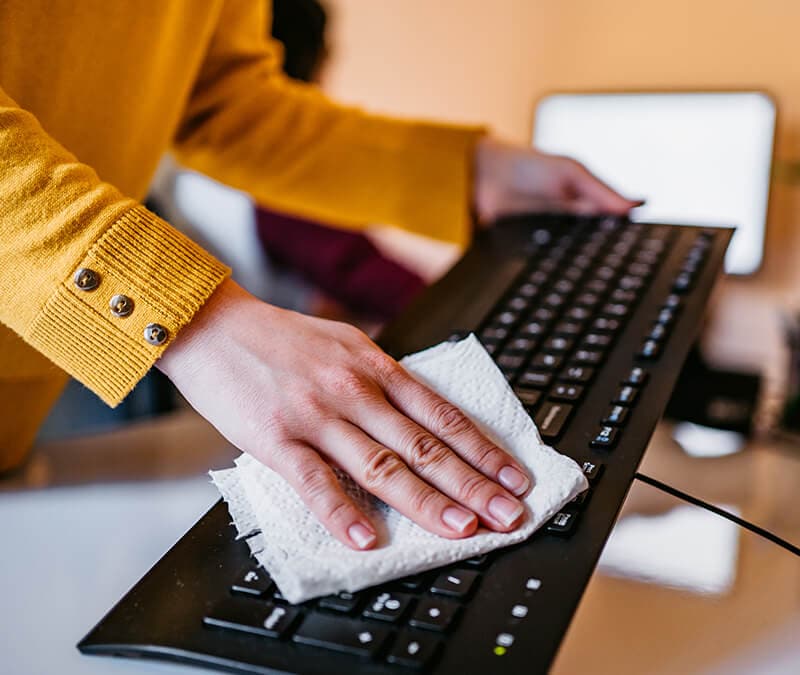
Privacy settings adjustment controls what data apps and programs can access. It limits sharing of personal information. The tool helps set permissions for apps and browsers. It reduces tracking and data leaks. Adjusting these settings strengthens your privacy online.
Credit: us.norton.com
Software Updates
Software updates keep your PC running smoothly and securely. They fix bugs, improve features, and protect against threats. A PC maintenance tool handles various types of software updates to ensure your system is always current and reliable.
Driver Updates
Drivers control hardware like printers, graphics cards, and keyboards. Updated drivers improve device performance and fix compatibility issues. A maintenance tool finds and installs the latest drivers automatically. This prevents crashes and hardware failures.
Application Patching
Applications often have security gaps and bugs. Patches fix these problems without reinstalling the software. The tool scans installed apps and applies patches quickly. This process keeps apps stable and safe from vulnerabilities.
Operating System Updates
Operating system updates provide essential security and feature improvements. They protect your PC from new viruses and malware. The maintenance tool downloads and installs OS updates on time. This keeps your system secure and efficient.
System Diagnostics
System diagnostics is a key feature of any PC maintenance tool. It checks the overall condition of your computer. This process helps spot problems early. It ensures your system runs smoothly and avoids crashes.
System diagnostics looks at different parts of your computer. It tests hardware, software, and performance. This thorough check helps keep your PC healthy and fast.
Hardware Health Monitoring
Hardware health monitoring tracks the condition of your PC’s components. It checks the hard drive, CPU, memory, and other parts. This feature warns you if any hardware shows signs of failure. It helps prevent sudden breakdowns by alerting you early.
Error Detection
Error detection scans your system for faults and glitches. It finds corrupted files, software bugs, and other issues. This tool helps fix errors before they cause bigger problems. It keeps your PC stable and reliable.
Resource Usage Tracking
Resource usage tracking shows how your PC uses its memory and processing power. It monitors CPU load, RAM use, and disk activity. This helps identify programs that slow down your system. You can manage resources better to improve speed and efficiency.
Backup And Recovery
Backup and recovery are vital parts of PC maintenance tools. They protect your data from loss or damage. Regular backups create copies of important files. Recovery features help restore those files if problems occur.
Data Backup Solutions
PC maintenance tools offer several backup options. You can save files locally or in the cloud. Some tools allow scheduling automatic backups. This ensures data is copied regularly without user effort. Common backup types include full, incremental, and differential backups.
System Restore Points
System restore points save the current state of your PC. They capture system files, settings, and programs. This lets you roll back changes after software or update issues. Restore points protect your system without affecting personal files. Creating restore points before major changes is a good practice.
File Recovery Tools
File recovery tools help retrieve deleted or lost files. They scan your hard drive to find recoverable data. These tools work even if files were emptied from the recycle bin. Some recovery features include preview options to check files before restoring. Quick recovery minimizes the risk of permanent data loss.
User-friendly Interfaces
User-friendly interfaces make PC maintenance tools easy and clear for everyone. They let users manage tasks without confusion or frustration. Simple designs help users see important info fast and take quick action. Good interfaces reduce errors and save time.
Dashboard Overview
The dashboard shows key PC health data in one place. Users see storage, memory, and performance status at a glance. It highlights issues needing attention, like junk files or outdated drivers. Icons and charts make data easy to understand. This overview helps users stay informed and act quickly.
Automated Scheduling
Scheduling lets the tool run tasks automatically. Users set times for scans, cleanups, and updates. The tool works quietly in the background without interrupting work. This feature ensures regular maintenance without manual effort. It keeps the PC in good shape all the time.
Customization Options
Users can adjust settings to fit their needs. They choose what tasks to run and when. Some tools offer different cleaning levels or scan types. Custom options let users focus on specific problems or preferences. This flexibility improves the tool’s usefulness and user control.
Credit: www.tomshardware.com
Credit: us.norton.com
Frequently Asked Questions
What Tasks Does A Pc Maintenance Tool Perform?
A PC maintenance tool cleans junk files, optimizes system speed, and fixes registry errors. It also manages startup programs to improve boot time and scans for malware to enhance security.
How Does A Pc Maintenance Tool Improve System Performance?
It removes unnecessary files and cleans the registry, which boosts system speed. It also optimizes memory usage and manages background processes for smoother operation.
Can A Pc Maintenance Tool Fix Common Computer Errors?
Yes, it detects and repairs common issues like broken shortcuts, corrupted files, and registry errors. This helps prevent crashes and system instability.
Does A Pc Maintenance Tool Help With Disk Cleanup?
Absolutely, it deletes temporary files, cache, and other junk data. This frees up disk space and helps your PC run more efficiently.
Conclusion
A PC maintenance tool keeps your computer running smoothly. It cleans unnecessary files and optimizes system performance. Regular use prevents slowdowns and crashes. It also protects against malware and improves security. Easy to use, it saves time and effort. Boosts efficiency without complicated steps.
Whether clearing cache or updating drivers, it simplifies tasks. Good maintenance ensures your PC stays reliable and fast. Remember, a healthy computer means better productivity. Enjoy a seamless experience every day. Keep your PC in top shape with the right tools.
Reliable, efficient, and straightforward. That’s what a maintenance tool offers.