If you own a Honda, you know how important it is to keep your vehicle running smoothly. One key feature that helps with this is the VSA (Vehicle Stability Assist) system.
But what happens when your Honda’s VSA light comes on? Knowing how to access VSA maintenance mode with a Honda scan tool can save you time, money, and trips to the mechanic. You’ll discover simple steps to enter this mode and diagnose issues quickly.
Keep reading, and you’ll gain the confidence to take control of your car’s stability system like a pro.
Vsa Maintenance Mode Basics
Understanding VSA Maintenance Mode Basics is essential for Honda vehicle owners. This mode helps manage the Vehicle Stability Assist system during repairs or maintenance. It prevents the VSA system from interfering with diagnostic or repair tasks. Accessing this mode correctly ensures smooth service and avoids false error codes.
What Is Vsa Maintenance Mode
VSA Maintenance Mode is a special setting in Honda cars. It temporarily disables the Vehicle Stability Assist system. This system normally helps keep the car stable during turns and slippery conditions. In Maintenance Mode, VSA stops working to allow safe testing or repairs. This mode helps technicians work without triggering warning lights.
Why Access Vsa Maintenance Mode
Accessing VSA Maintenance Mode is important during certain repairs. It prevents the VSA system from activating unexpectedly. This avoids confusing error messages on the dashboard. It also protects the VSA components from damage during maintenance. Using this mode ensures accurate diagnostic results. It saves time and prevents unnecessary part replacements.

Credit: jdiagstore.com
Tools Needed For Access
Accessing the VSA Maintenance Mode on a Honda requires the right tools. These tools help communicate with the vehicle’s system. Without them, you cannot enter or control the maintenance mode. Knowing what you need before you start saves time and frustration.
Honda Scan Tool Options
Honda offers specific scan tools designed for their vehicles. These tools read and clear error codes. They also activate maintenance modes like VSA. Popular models include:
- Honda HDS (Honda Diagnostic System)
- HONDATA FlashPro
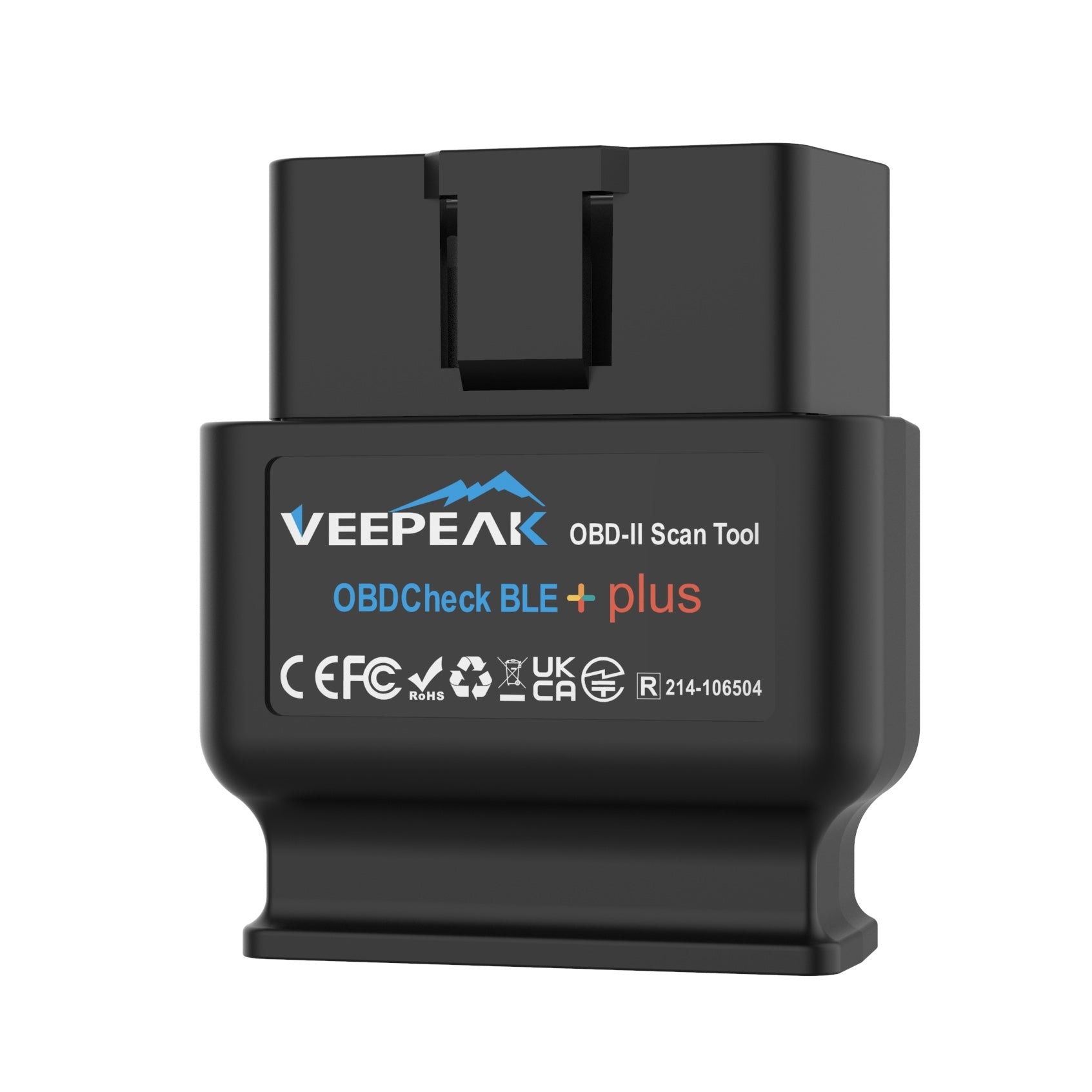
- OBD2 Bluetooth or wired scanners compatible with Honda
HDS is the most reliable for full access. Basic OBD2 scanners may not support all VSA functions.
Additional Equipment Requirements
Besides the scan tool, other equipment helps ensure a smooth process. These include:
- Reliable power supply to the vehicle
- USB or Bluetooth connection cables
- A laptop or tablet for some scan tools
- Stable internet connection for software updates
Having these ready helps avoid interruptions during maintenance. Proper setup ensures accurate diagnostics and safe mode access.
Preparing Your Vehicle
Preparing your vehicle is an important first step before accessing the VSA maintenance mode on your Honda scan tool. Proper preparation ensures accurate readings and prevents any damage during the process. Taking a few simple actions can make the procedure smoother and safer.
Start by checking the vehicle’s condition and positioning. Confirm that the car is on a flat surface and the engine is off. This preparation helps the scan tool communicate correctly with your vehicle’s systems. Understanding these basics will save time and avoid errors.
Safety Precautions
- Park the vehicle on a level ground to avoid rolling.
- Engage the parking brake firmly.
- Turn off the engine before connecting the scan tool.
- Keep the ignition key in the “Off” position initially.
- Ensure all doors and windows are closed to prevent interference.
- Wear safety gloves and glasses if necessary.
Vehicle Setup Steps
- Turn the ignition switch to the “On” position without starting the engine.
- Make sure the brake pedal is not pressed during setup.
- Connect the Honda scan tool to the OBD-II port under the dashboard.
- Wait for the scan tool to establish communication with the vehicle.
- Follow any on-screen prompts to prepare the system for VSA maintenance mode.

Credit: www.amazon.ca
Step-by-step Access Guide
Accessing the VSA Maintenance Mode on a Honda scan tool requires a clear and simple approach. This guide breaks down the process into easy actions. Follow each part carefully to ensure proper setup and activation. This helps in performing VSA system checks and maintenance accurately.
Connecting The Scan Tool
Locate the OBD-II port under the dashboard near the steering wheel. Plug the scan tool connector firmly into the port. Turn the vehicle ignition to the ON position without starting the engine. Wait for the scan tool to power on and initialize the connection. Confirm the tool displays the vehicle information to proceed.
Navigating The Menu
Use the scan tool buttons to access the main menu. Select the “Honda” brand from the list of vehicle makes. Scroll to the “System Selection” option and enter the submenu. Choose “VSA” or “Vehicle Stability Assist” from the system list. Wait for the scan tool to load the VSA system functions.
Activating Vsa Maintenance Mode
Find the “Maintenance Mode” or “Service Mode” option within the VSA menu. Select this mode to start the maintenance process. Follow on-screen instructions to confirm activation. The scan tool will communicate with the VSA system and enter maintenance mode. This mode allows you to reset or test VSA components safely.
Common Issues And Fixes
Accessing VSA maintenance mode using a Honda scan tool can sometimes face hurdles. These common issues can disrupt the process. Knowing the fixes helps save time and frustration.
Troubles with connections and error messages are the main challenges. This section covers how to spot and fix these problems quickly.
Scan Tool Connection Problems
Connection issues often occur due to simple causes. Check the OBD-II port for dirt or damage. Clean it gently if needed.
Ensure the scan tool cable fits tightly into the port. Loose connections cause data transfer failures.
Battery voltage plays a role. Low voltage can disrupt communication. Make sure the vehicle battery is charged well.
Sometimes, the scan tool software needs an update. Using outdated software may prevent the tool from connecting properly.
- Inspect and clean the OBD-II port
- Securely connect the scan tool cable
- Verify vehicle battery voltage
- Update scan tool software regularly
Error Messages And Solutions
Error messages appear when the scan tool encounters issues. Common messages include “Communication Error” and “VSA Not Available.”
“Communication Error” means the tool cannot talk to the vehicle’s system. Check the connection and cable first.
“VSA Not Available” often means the vehicle is not in the correct mode. Make sure the ignition is on but the engine is off.
Other errors might show code numbers. Use the scan tool’s manual to decode them. Each code points to a specific problem.
- Check connections if “Communication Error” shows
- Set ignition to the right position for VSA access
- Refer to the manual for error code meanings
- Clear errors and try scanning again
After Accessing Maintenance Mode
After you access the VSA Maintenance Mode on your Honda scan tool, the real work begins. This mode allows you to interact directly with the Vehicle Stability Assist system to run diagnostics and make adjustments. Knowing what to do next ensures you get accurate information and keep your vehicle safe.
Performing Vsa System Checks
Once in Maintenance Mode, start by running the VSA system checks. These checks help identify issues like sensor malfunctions or calibration errors that could affect your car’s stability control.
Use the scan tool to:
- Read error codes related to the VSA system
- Monitor real-time sensor data, such as wheel speed and yaw rate
- Test the operation of individual VSA components
Pay attention to any unusual readings or persistent error codes. These often hint at underlying problems that need repair or recalibration. Have you noticed any changes in your vehicle’s handling before running these checks?
Exiting Maintenance Mode Safely
After completing your checks, it’s crucial to exit Maintenance Mode properly to avoid unintended system resets or errors. The scan tool usually provides a clear option to leave this mode.
Follow these steps to exit:
- Navigate to the exit or quit option on your scan tool menu
- Confirm your choice when prompted
- Wait for the tool to complete the exit process before turning off the ignition
Exiting correctly ensures the VSA system returns to normal operation without glitches. Skipping this can cause issues that may confuse future diagnostics or impact your vehicle’s stability control. Have you ever skipped this step and noticed strange behavior afterward?
Tips For Effective Maintenance
Keeping your Honda’s VSA (Vehicle Stability Assist) system in good shape requires more than just occasional scans. Effective maintenance means being proactive and attentive to subtle signs your vehicle might show. This section offers practical tips to help you stay on top of your VSA system’s health and avoid costly repairs down the road.
Regular Vsa System Checks
Set a schedule to perform regular checks on your VSA system using your Honda scan tool. This helps you catch minor issues before they become major problems. For example, scanning after rough road conditions or after hitting a pothole can reveal sensor misalignments early.
Keep an eye on warning lights related to stability control and ABS. If you notice these lights flickering or staying on, don’t ignore them. Regular scans can tell you if sensor recalibration or software updates are needed.
- Scan your VSA system every 3,000 to 5,000 miles.
- Check tire pressure regularly—imbalanced tires affect VSA performance.
- Inspect brake pads and rotors since they play a critical role in stability control.
When To Seek Professional Help
Some VSA problems are easy to spot but tricky to fix on your own. If your scan tool shows persistent error codes or if your vehicle behaves unpredictably, it’s time to consult a professional.
Don’t wait until the system completely fails. A certified Honda technician can accurately diagnose sensor failures or hydraulic issues. Remember, your safety depends on a fully functional VSA system, especially in slippery or emergency driving conditions.
Have you ever tried to reset a VSA warning light only to see it return? That’s a sign you might need expert assistance. Professionals can also help when your scan tool can’t clear error codes or when hardware replacements are necessary.
Credit: www.snapon.com
Frequently Asked Questions
What Is Vsa Maintenance Mode In Honda Scan Tool?
VSA maintenance mode allows you to reset the Vehicle Stability Assist system. It helps clear errors and recalibrates sensors for optimal performance. This mode is essential after repairs or sensor replacements to ensure your Honda’s safety systems work correctly.
How Do I Enter Vsa Maintenance Mode On Honda?
To enter VSA maintenance mode, connect the Honda scan tool to the OBD-II port. Follow the scan tool’s menu to select VSA maintenance mode. Then, perform the required procedures like sensor calibration or system reset as prompted.
Why Use Honda Scan Tool For Vsa Maintenance Mode?
Using a Honda scan tool ensures accurate diagnostics and proper VSA system resets. It provides step-by-step instructions and prevents errors. This tool saves time and helps maintain your vehicle’s stability and safety systems effectively.
Can I Access Vsa Maintenance Mode Without A Scan Tool?
No, accessing VSA maintenance mode requires a compatible Honda scan tool. This mode involves specific software commands that can’t be done manually. Using the correct tool ensures safe and precise VSA system servicing.
Conclusion
Accessing VSA Maintenance Mode with the Honda Scan Tool is simple. Follow the steps carefully to ensure success. Start by connecting the tool to your vehicle. Use the menu to navigate to maintenance settings. Pay attention to the on-screen instructions.
This ensures proper operation. Regular maintenance checks help keep your Honda in top shape. A well-maintained vehicle runs smoothly and safely. Keep practicing these steps to gain confidence. You’ll soon find it easier each time. Remember, maintenance is key to vehicle longevity.
Enjoy your driving experience with a well-maintained Honda.