Are you tired of unexpected printer breakdowns that slow down your work? Keeping your printer in top shape is easier than you think.
The right tools can save you time, money, and frustration by preventing problems before they start. Wondering which tool is most commonly used in printer preventive maintenance? This simple yet powerful tool could change the way you care for your printer.
Keep reading to discover what it is and how it can keep your printer running smoothly day after day.
Common Printer Issues
Printers face several common issues that affect their performance and output quality. Regular preventive maintenance helps avoid these problems and keeps printers running smoothly. Understanding these issues helps in choosing the right tools for maintenance and repair.
Frequent Paper Jams
Paper jams occur when paper gets stuck inside the printer. Dust, torn paper, or wrong paper size often causes jams. Cleaning rollers and using the correct paper type reduce jams. Proper alignment of paper trays also helps prevent this issue.
Print Quality Problems
Prints may appear faded, blurry, or streaked. Low ink or toner levels often cause poor print quality. Dirty print heads and clogged nozzles are common reasons too. Regular cleaning and replacing cartridges improve print results.
Hardware Wear And Tear
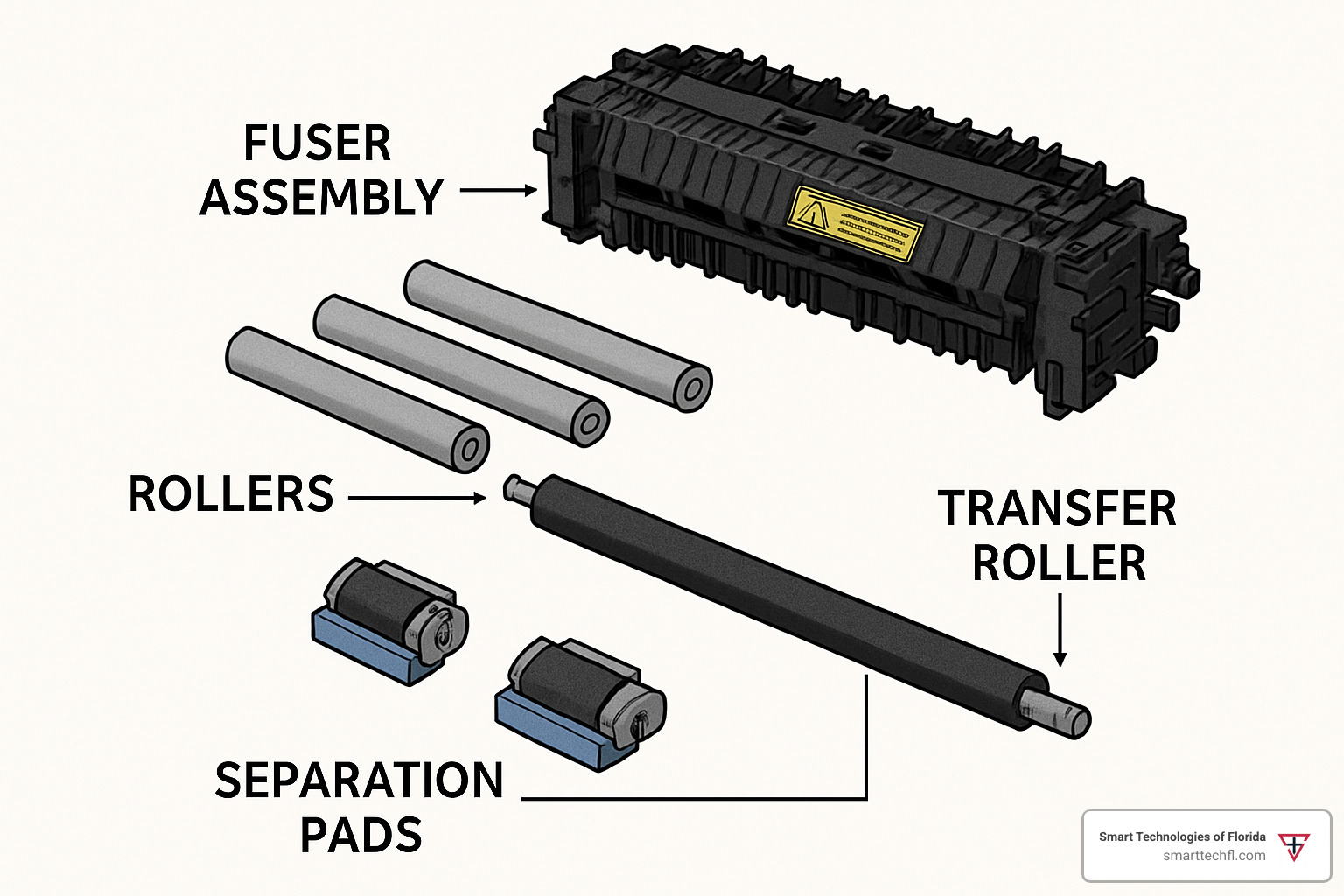
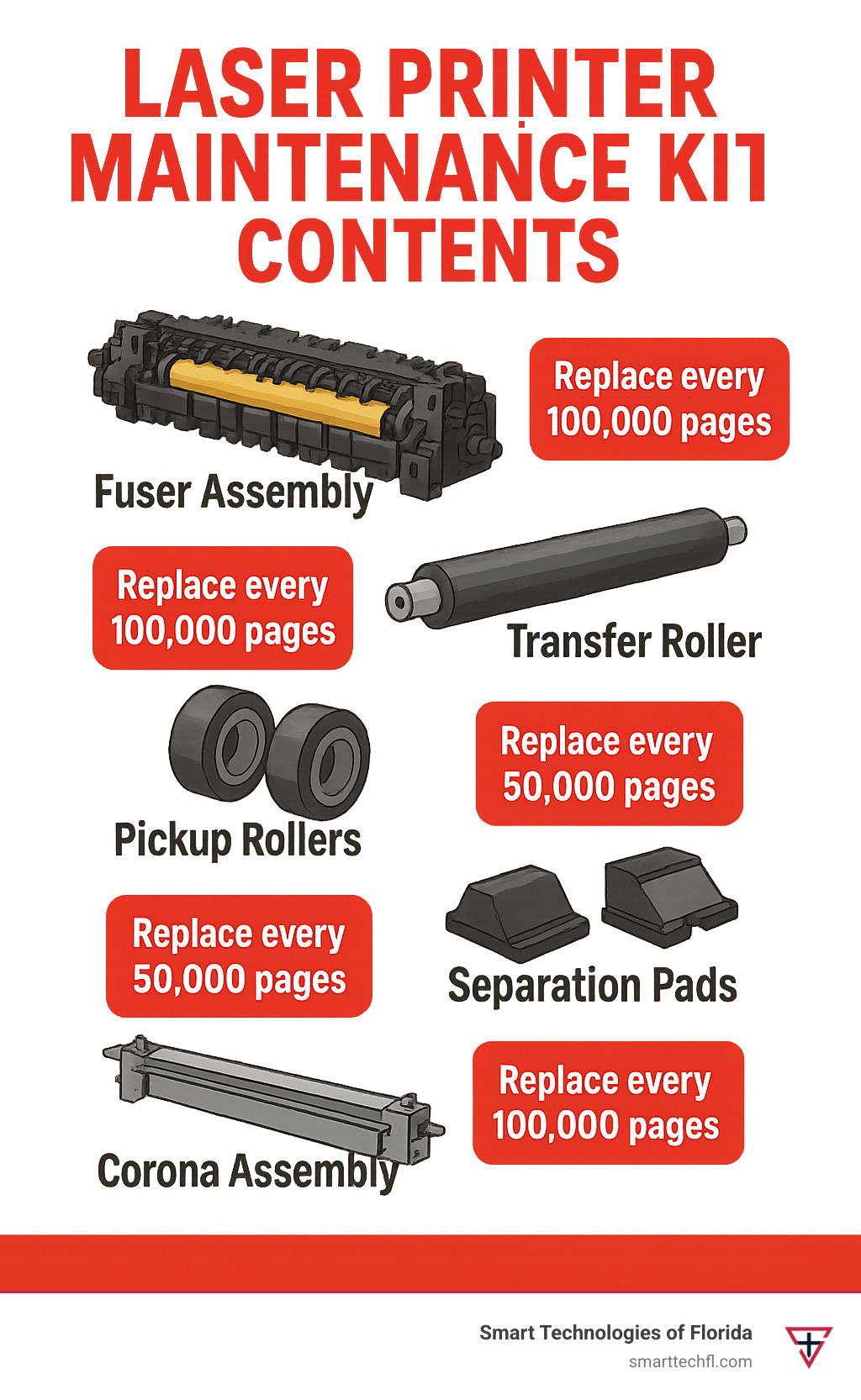
Moving parts in printers wear out over time. Rollers, belts, and gears may need replacement. Worn parts cause noise and paper feeding problems. Routine inspections and timely part replacements extend printer life.
Key Maintenance Tools
Maintaining your printer regularly keeps it running smoothly and extends its life. Having the right tools makes preventive maintenance easier and more effective. Let’s look at the key tools you should have on hand to keep your printer in top shape.
Cleaning Kits
Cleaning kits are essential for removing dust, ink residue, and paper debris from your printer. These kits usually include cleaning solutions, wipes, and swabs designed specifically for delicate printer parts. Using a proper cleaning kit prevents damage and ensures your printer produces clear, sharp prints every time.
I once skipped using a cleaning kit and tried household cleaners, which led to smudges on every page. That experience taught me how important specialized cleaning tools are for printers.
Lubricants
Lubricants help keep moving parts like rollers and gears operating smoothly without friction. Applying the right lubricant prevents wear and reduces noise during printing. Make sure to use lubricants that are recommended for printers to avoid attracting dust or damaging parts.
Have you noticed your printer making grinding noises? It might be time to check and apply lubricant to those mechanical components.
Screwdrivers And Wrenches
These basic hand tools are necessary for opening your printer’s casing and adjusting or replacing internal parts. A set of small screwdrivers and wrenches lets you tighten loose screws and access areas that need cleaning or repair. Keeping these tools ready saves time and effort when performing preventive maintenance.
Don’t underestimate the value of a good screwdriver set; it’s often the difference between a quick fix and a frustrating repair session.
Cleaning Tools And Supplies
Keeping your printer in top shape requires the right cleaning tools and supplies. These essentials help remove dust, ink residue, and paper particles that can cause jams or affect print quality. Using the proper items can save you time and money by preventing costly repairs.
Lint-free Cloths
Lint-free cloths are a must-have for cleaning delicate printer parts without leaving fibers behind. Unlike regular cloths, they don’t shed, which means no tiny threads clogging up your printer’s mechanisms.
Use them to wipe down rollers, glass surfaces, and exterior panels gently. Have you ever noticed streaks or smudges after cleaning? Switching to lint-free cloths can eliminate those issues instantly.
Compressed Air Canisters
Compressed air canisters are perfect for blowing dust and debris out of hard-to-reach areas inside your printer. They help clear paper dust from sensors, trays, and internal components without touching sensitive parts.
Be careful to hold the can upright to avoid spraying liquid propellant, which can damage your printer. Have you tried using a vacuum? Compressed air is safer and more effective for delicate electronics.
Isopropyl Alcohol
Isopropyl alcohol is a versatile cleaner that dissolves ink stains and removes oily residues. Use a small amount on a lint-free cloth to clean print heads and rollers safely.
Ensure you use at least 70% concentration for effective cleaning, but avoid soaking parts to prevent damage. Wondering why water isn’t enough? Alcohol evaporates quickly, reducing the risk of moisture-related issues inside your printer.
Diagnostic Software
Diagnostic software plays a key role in printer preventive maintenance. It helps find issues early and keeps printers running smoothly. These tools check printer status, identify problems, and guide maintenance steps. Using diagnostic software reduces downtime and repair costs.
Printer Utility Programs
Printer utility programs come with most printers. They allow users to check ink levels, print test pages, and clean print heads. These tools run basic diagnostics and fix minor issues automatically. Regular use of utility programs helps maintain print quality and printer health.
Error Code Readers
Error code readers scan printer errors and show detailed messages. They help technicians understand what causes printer failures. These tools decode error signals into simple explanations. This speeds up troubleshooting and prevents repeated problems.
Firmware Update Tools
Firmware update tools keep printer software up to date. Updating firmware fixes bugs and improves printer functions. These tools download and install the latest versions safely. Staying current with firmware boosts printer performance and security.
Replacing Parts Tools
Replacing parts in your printer is a key part of preventive maintenance. Using the right tools makes the job easier and helps keep your printer running smoothly. Let’s look at some common tools that professionals and DIY enthusiasts use for replacing parts effectively.
Roller Removal Tools
Rollers wear out over time, causing paper jams and poor print quality. Roller removal tools help you take out worn rollers without damaging the printer. These tools often include plastic prying sticks or specialized grips designed to fit tight spaces.
Using the correct roller removal tool prevents scratches and keeps the printer’s internal parts intact. Have you ever tried pulling a roller out by hand and ended up causing more damage? These tools save you from that frustration.
Cartridge Replacement Kits
Replacing ink or toner cartridges can be messy and tricky without the right tools. Cartridge replacement kits usually contain gloves, cleaning wipes, and small tools to help remove and install cartridges cleanly.
These kits reduce spills and ensure that cartridges fit perfectly. If you’ve ever struggled with a stuck cartridge or ink stains, a good kit can make the process less stressful and more efficient.
Alignment Devices
After replacing parts, especially cartridges or rollers, your printer may need realignment to maintain print quality. Alignment devices help you adjust the printer settings or hardware precisely.
Some printers come with built-in alignment software, but handheld alignment devices can provide more control. Have you noticed blurry or misaligned prints after a part replacement? Using alignment devices can fix these issues quickly.
Credit: smarttechfl.com
Safety Equipment
Safety equipment is essential during printer preventive maintenance. It protects users from electric shocks, ink stains, and dust. Proper safety gear ensures a smooth and safe maintenance process. Using the right tools also avoids damage to printer parts.
Anti-static Wrist Straps
Anti-static wrist straps stop static electricity buildup. Static can harm sensitive printer components. Wearing a wrist strap grounds your body, preventing static discharge. This tool is lightweight and easy to use. It improves safety for both users and printers.
Protective Gloves
Protective gloves shield hands from ink and sharp parts. They keep fingers clean and safe during cleaning and repairs. Gloves made of nitrile or latex offer good protection. They also prevent skin irritation from chemicals used in maintenance. Gloves come in different sizes for a snug fit.
Eye Protection
Eye protection guards against ink splashes and dust. Safety glasses or goggles are common choices. They reduce the risk of eye injury during cleaning or part replacement. Clear lenses offer good visibility while protecting eyes. Using eye protection is a simple way to stay safe.
Best Practices For Tool Use
Using the right tools correctly is essential to keep your printer running smoothly and avoid costly repairs. Best practices for tool use in printer preventive maintenance help you get the most out of your equipment while protecting delicate components. Let’s break down how you can maintain your tools to ensure every maintenance session is effective and safe.
Regular Cleaning Schedules
Tools used in printer maintenance collect dust, ink, and debris quickly. Cleaning them regularly prevents contamination and ensures they work properly. Wiping down brushes, compressed air cans, and cleaning cloths after each use keeps dirt from transferring back to your printer parts.
Set a specific day each week to check and clean your tools. This habit reduces buildup and extends the life of your maintenance kit. Have you noticed how a simple cleaning routine can prevent unexpected breakdowns?
Proper Handling Techniques
Handling tools with care protects both the printer and the tools themselves. Avoid using excessive force when cleaning printer heads or rollers; gentle, precise movements prevent damage. Always use tools designed for printers—using the wrong tool can cause scratches or misalignment.
Hold brushes and swabs by their handles, not the tips, to keep them intact longer. Think about the last time a careless grip caused your tool to break—how could that have been avoided with better technique?
Storage Tips
Storing your maintenance tools properly keeps them safe and ready for use. Use a dedicated box or pouch to keep everything organized and protected from dust and moisture. Avoid tossing tools loosely into drawers where they can get bent or damaged.
Label compartments if you have multiple tools to find what you need quickly. Do you keep your tools visible and accessible, or hidden away where you might forget them? Proper storage can save you time and frustration during maintenance.

Credit: smarttechfl.com
Choosing The Right Tools
Choosing the right tools for printer preventive maintenance is crucial to keep your devices running smoothly and avoid costly repairs. The right tools not only save time but also enhance the effectiveness of your maintenance tasks. Let’s look at key factors to consider when selecting these tools.
Brand Compatibility
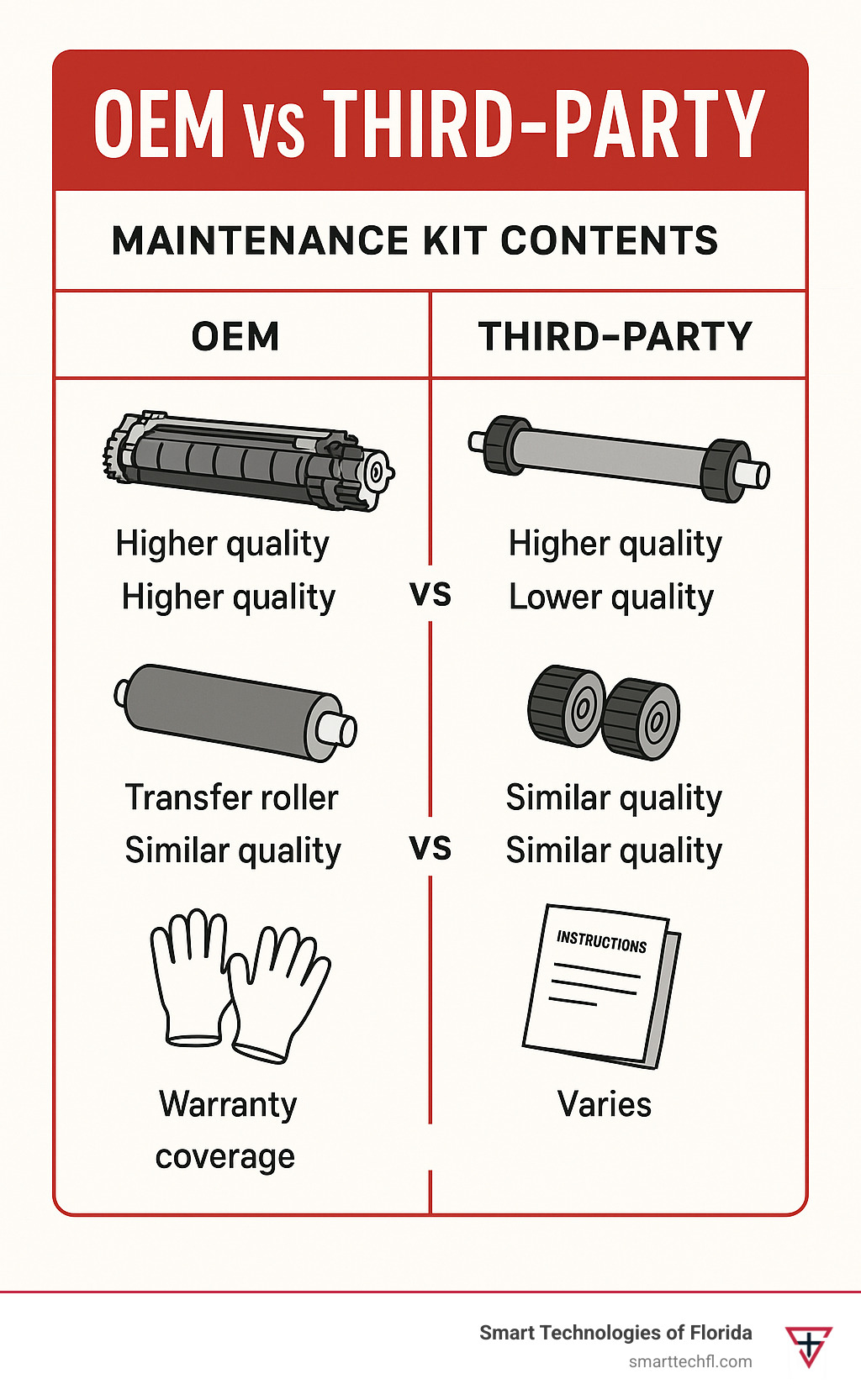
Printer brands often require specific tools designed to fit their models. Using generic tools can sometimes cause damage or reduce the efficiency of maintenance work.
Check the manufacturer’s recommendations for compatible tools. For example, Epson printers might need different cleaning kits compared to HP or Canon models.
Have you ever tried using a one-size-fits-all tool only to find it didn’t fit properly? This is why brand compatibility matters.
Tool Quality And Durability
Cheap tools might seem like a good idea but often wear out quickly or fail to deliver results. Investing in high-quality tools ensures you can perform maintenance regularly without interruptions.
Look for tools made from durable materials like stainless steel or reinforced plastic. Reliable brushes, screwdrivers, and cleaning kits can last for years and handle frequent use.
Remember, a well-made tool helps you avoid frustration and keeps your printer in top condition longer.
Cost Versus Effectiveness
Balancing cost with effectiveness is key. Expensive tools don’t always guarantee the best results, and the cheapest options might cost more in the long run due to frequent replacements.
Focus on tools that offer good value—those that perform well and last. Sometimes mid-range options provide the best balance between price and quality.
Ask yourself: Would spending a bit more now save you time and money on repairs later?
Credit: smarttechfl.com
Frequently Asked Questions
What Is The Most Common Tool In Printer Preventive Maintenance?
The most common tool used is a lint-free cleaning cloth. It removes dust and debris from printer parts effectively. This tool helps prevent paper jams and improves print quality by keeping the printer clean.
Why Use A Cleaning Kit For Printer Maintenance?
A cleaning kit contains essential tools like swabs, cloths, and solutions. It ensures thorough cleaning of printer components. Using a kit extends printer life and maintains consistent print performance by preventing buildup and clogs.
How Often Should Printer Maintenance Tools Be Used?
Printer maintenance tools should be used every 3 to 6 months. Regular use prevents dust buildup and mechanical issues. Frequent cleaning ensures smooth printer operation and reduces downtime caused by malfunctions.
Can Compressed Air Help In Printer Preventive Maintenance?
Yes, compressed air is effective for removing dust from hard-to-reach areas. It prevents dust accumulation inside the printer. Using compressed air regularly keeps the printer’s internal parts clean and functioning properly.
Conclusion
Choosing the right tools ensures printer longevity. Regular maintenance prevents unexpected breakdowns. Keep printers efficient by using common maintenance tools. Cleaners and brushes are essential for dust removal. Screwdrivers help with component adjustments. Use compressed air for hard-to-reach areas. Lubricants reduce friction in moving parts.
Having these tools readily available saves time. Consistent care leads to a reliable printer. Maintenance doesn’t have to be complicated. Simple steps make a big difference. Keep your printer running smoothly and efficiently. Happy printing!