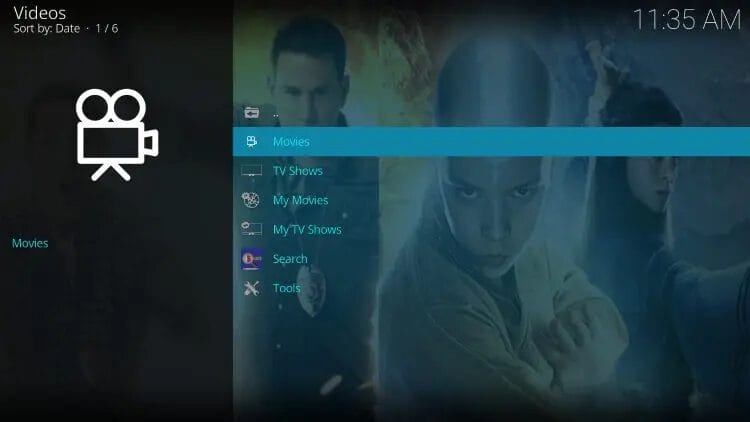
Are you tired of Kodi running slow or crashing at the worst moments? Keeping your Kodi clean and running smoothly can be a challenge, especially if you don’t have the right tools.
But what if there was one maintenance tool that could handle all the heavy lifting for you? You’ll discover the best maintenance tool for Kodi that can boost your streaming experience, clear out clutter, and fix common issues with just a few clicks.
Keep reading, because your Kodi deserves the best care, and you deserve hassle-free entertainment.

Credit: simturax.medium.com
Kodi Maintenance Essentials
Keeping Kodi running smoothly requires regular care. Kodi Maintenance Essentials cover key tasks that protect and improve your media player. These tasks help avoid slowdowns, crashes, and playback issues. Understanding what maintenance involves keeps your Kodi experience seamless and enjoyable.
Why Maintenance Matters
Kodi stores a lot of data during use. Cache, logs, and temporary files build up over time. This can slow down Kodi and cause errors. Maintenance clears this data to free space. It also fixes broken links and corrupt files. Regular upkeep keeps Kodi fast and stable. It reduces crashes and playback problems. Maintenance improves device performance too.
Common Kodi Issues
- Slow loading times
- Buffering during playback
- Freezing or crashing apps
- Broken add-ons or updates
- Error messages and failed streams
Most problems stem from leftover files or outdated data. Cleaning cache and deleting old logs often solves many issues. Updating add-ons and removing unused ones also helps. Maintenance tools automate these tasks for easy care. They keep Kodi clean and organized, preventing common glitches.
Key Features To Look For
Choosing the right maintenance tool for Kodi means focusing on key features. These features help keep your Kodi running smoothly and safely. A good tool cleans up junk files, saves your settings, manages add-ons, and boosts performance. Each feature plays an important role in maintaining Kodi’s health.
Cache Cleaning
Cache cleaning removes temporary files that slow Kodi down. These files build up over time and take space. A maintenance tool should clear cache easily and regularly. This keeps Kodi fast and responsive. Good cache cleaning prevents crashes and buffering issues.
Backup And Restore
Backup and restore protect your Kodi settings and data. Tools with this feature let you save your setup. If something breaks, you can quickly restore everything. This saves time and avoids frustration. Reliable backup options ensure your add-ons and preferences stay safe.
Add-on Management
Managing add-ons is vital for Kodi’s smooth operation. A maintenance tool should help install, update, and remove add-ons. This prevents conflicts and errors. Clear add-on management keeps Kodi organized and secure. It also helps remove broken or unwanted add-ons.
Performance Optimization
Performance optimization improves Kodi’s speed and stability. The best tools fix common issues and fine-tune settings automatically. They free up memory and close unused processes. This results in smoother playback and faster loading times. Optimization keeps Kodi running at its best.
Top Maintenance Tools For Kodi
Maintaining Kodi ensures smooth streaming and a clutter-free experience. Using the right maintenance tool can save you time and prevent common issues like buffering or crashes. Let’s look at some of the top maintenance tools that can keep your Kodi setup running at its best.
Ares Wizard
Ares Wizard is one of the most popular maintenance tools for Kodi users. It offers easy-to-use features like cache cleaning, backup options, and log file removal. If you want a tool that simplifies keeping your Kodi system fast and stable, Ares Wizard is worth trying.
What’s great is its one-click maintenance options, saving you from digging through menus. Have you ever spent hours troubleshooting only to realize a simple cache clear fixed the issue? Ares Wizard handles that for you effortlessly.
Indigo
Indigo stands out with its comprehensive toolkit for Kodi maintenance. Beyond just cleaning, it provides addon management, system information, and even a file manager. This makes it perfect if you want to keep everything organized in one place.
Using Indigo can also help you quickly spot problematic addons slowing down your setup. Wouldn’t it be easier to manage your Kodi addons and troubleshoot from a single dashboard? Indigo gives you that control.
Maverick Wizard
Maverick Wizard is known for its user-friendly interface and effective maintenance features. It includes tools for clearing thumbnails, packages, and cache, which can free up significant space on your device. This helps Kodi run smoother and reduces buffering.
What I found handy is its automatic cleanup reminders. Have you ever forgotten to clear your cache and then wondered why your Kodi lags? Maverick Wizard keeps you ahead by prompting regular maintenance.
Supreme Builds Wizard
Supreme Builds Wizard combines maintenance with build management, making it a versatile choice. It offers cleanup tools along with easy installation of custom builds, which can enhance your Kodi experience. This dual function means less hassle switching between tools.
If you’re someone who enjoys trying new builds but hates the mess they leave behind, this wizard helps keep things neat. How often do you switch builds and wish there was a tool that could tidy up as you go? Supreme Builds Wizard does just that.

Credit: recoverit.wondershare.com
Comparing The Best Picks
Choosing the best maintenance tool for Kodi means looking closely at what each option offers. Not all tools are created equal, and understanding their strengths can help you keep your Kodi setup running smoothly. Let’s compare some top picks based on key factors that matter most to users like you.
User Interface
The user interface can make or break your experience. Some tools offer a clean, simple design that lets you find everything quickly without confusion. Others might have more features but come with cluttered layouts that slow you down.
Think about how much time you want to spend navigating the tool. If you prefer a straightforward approach, tools like Indigo provide a minimalistic interface that gets straight to the point. On the other hand, Ares Wizard packs more options but may feel overwhelming at first glance.
Functionality
Functionality is where these tools really show their value. Look beyond basic cache clearing and check if the tool offers features like backup, log cleaning, or build installation. Some tools also include advanced options like network speed tests or addon management.
For example, Indigo covers a wide range of functions, from maintenance to troubleshooting. Meanwhile, Merlin Wizard focuses more on cleaning and optimizing performance. What features do you need most to keep your Kodi running smoothly?
Ease Of Use
Ease of use is crucial, especially if you’re not very tech-savvy. You want a tool that guides you through tasks with clear instructions and minimal setup hassle. Tools that require extensive configuration can turn routine maintenance into a frustrating chore.
In my experience, Indigo’s step-by-step menus helped me clean up Kodi without guesswork. If you want quick fixes without diving into complicated options, choose a tool designed for simplicity. Does the tool offer helpful prompts or automation to reduce your workload?
Compatibility
Compatibility with your device and Kodi version is essential. Some maintenance tools only work on specific platforms or older Kodi releases. Before installing, check if the tool supports your setup to avoid wasted time and potential errors.
For example, Ares Wizard has been around for a while but may not fully support the latest Kodi versions. Tools like Merlin Wizard tend to update more frequently and support a broader range of devices. Are you running Kodi on Android, Windows, or another platform? Make sure your tool matches that environment.
Tips For Effective Kodi Maintenance
Maintaining Kodi ensures smooth streaming and a better user experience. Regular upkeep prevents slowdowns and crashes. Follow practical tips to keep Kodi running at its best.
Regular Cleaning Schedule
Set a routine to clear cache and temporary files. This frees up space and improves speed. Remove unused add-ons and old data regularly. A clean system reduces errors and buffering.
Safe Add-on Installation
Only install add-ons from trusted sources. Verify the add-on’s reputation before downloading. Avoid third-party add-ons that may cause security risks. Use official repositories when possible.
System Backups
Create backups before making changes to Kodi. Backup settings, add-ons, and libraries to avoid data loss. Store backups on external drives or cloud storage. This allows quick recovery if something goes wrong.
Updating Tools And Kodi
Keep Kodi and maintenance tools updated. Updates fix bugs and improve performance. Check for updates regularly and apply them promptly. Updated software offers better security and features.

Credit: www.reddit.com
Frequently Asked Questions
What Is The Best Maintenance Tool For Kodi?
The best maintenance tool for Kodi is Ares Wizard. It offers cache clearing, backup, and build installation. Ares Wizard improves Kodi’s speed and stability. It is user-friendly and regularly updated for optimal performance.
How Does A Kodi Maintenance Tool Improve Performance?
A Kodi maintenance tool clears cache, deletes thumbnails, and removes unnecessary files. This frees up space and reduces buffering. It also helps fix crashes and errors. Regular maintenance keeps Kodi running smoothly and faster.
Can I Install Maintenance Tools Directly From Kodi?
Yes, you can install maintenance tools via Kodi repositories. Add the repository URL in Kodi settings. Then, browse and install tools like Ares Wizard or Indigo. This method ensures safe and easy access to trusted tools.
Are Kodi Maintenance Tools Safe To Use?
Most Kodi maintenance tools from official repositories are safe. Always download from trusted sources to avoid malware. Regular updates also improve security. Avoid third-party tools from unknown websites to protect your device.
Conclusion
Choosing the best maintenance tool for Kodi enhances your streaming experience. Regular updates and cleanups keep Kodi running smoothly. Opt for tools that fit your needs and are easy to use. Check user reviews and community feedback for insights. Always download tools from trusted sources to avoid security risks.
Remember, a well-maintained Kodi ensures better performance. Take the time to explore different options. Each tool offers unique features. Find the one that aligns with your preferences. Enjoy seamless streaming on Kodi with the right maintenance tool. Happy streaming!